
Google Chrome's appetite for memory has been demonstrated once again, this time by a Windows 11 user who found that the Adobe Acrobat PDF extension in Chrome had written hundreds of gigabytes to a computer where it was barely used, over just three days.
In a post on Reddit under the name xenius_ykk, the user described finding the problem with Windows' own tools. Neowin reported on the post on November 25, 2026.
SSD activity spiked while the computer sat idle
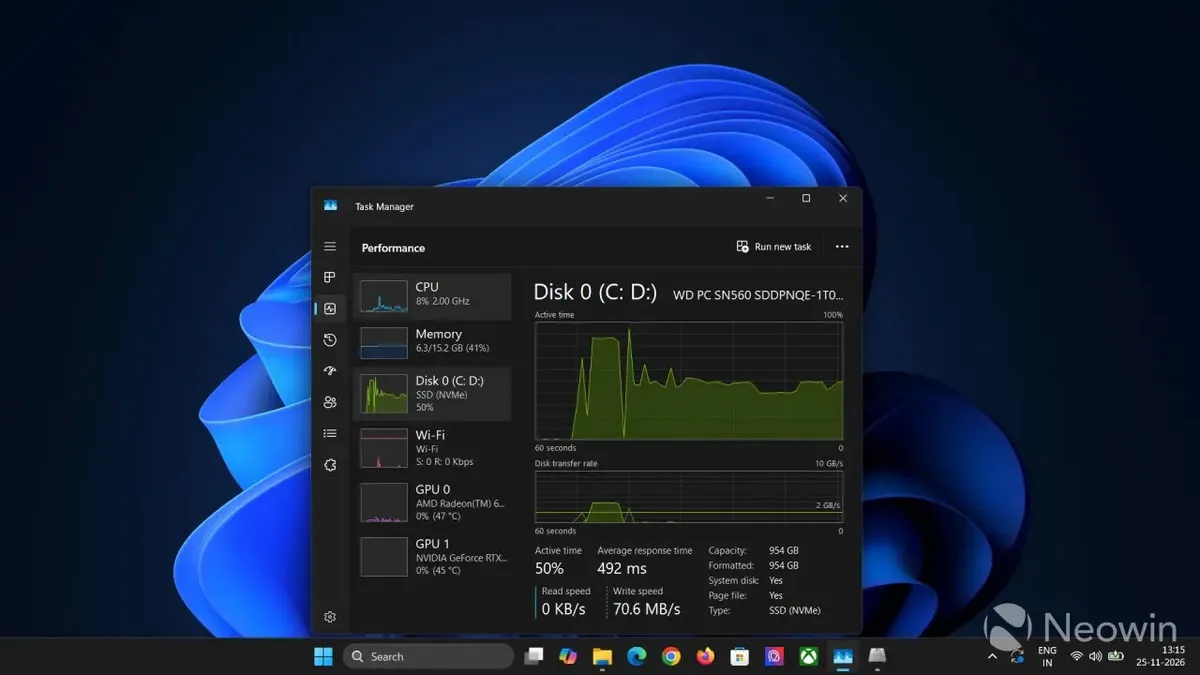
The investigation began when SSD activity stayed unusually high while the computer was idle. The user first checked the total write volume of running processes using PowerShell. Chrome had written more than 300 GB since its last launch, roughly 100 GB per day. According to the user, the browser was not doing anything noticeable.

Chrome's cache folders totaled only about 3.5 GB. However, the ServiceWorker CacheStorage folder showed data being constantly written and deleted. The activity was traced to a service worker that Adobe's official Acrobat PDF extension had registered on Adobe's own website. The worker kept filling its allotted cache quota overnight, even when no Chrome window was open.

Relying on process counters can be misleading. Windows' WriteTransferCount value also includes network activity, so a process can show a high write figure without actually writing to the SSD. For that reason, the user used Windows' built-in Resource Monitor (Resmon.exe) and its Disk tab to isolate real disk activity. To sort processes by write volume, they ran this PowerShell command:
Get-CimInstance Win32_Process | Sort-Object WriteTransferCount -Descending | Select-Object -First 25 Name, ProcessId, @{n='WriteGB';e={[math]::Round($_.WriteTransferCount/1GB,3)}}, CreationDate | Format-Table -AutoSize
The user removed the Adobe Acrobat extension, deleted the service worker registration, cleared the related site data, and restarted Chrome. According to the user, the improvement came almost immediately: idle write activity dropped from about 730 MB in five minutes to about 135 MB after the first restart, and fell further afterward.
How to check on your own computer
If you suspect Chrome is writing too much data to your SSD, open Resource Monitor from the Windows search bar and check the Disk tab. You can review installed extensions at chrome://extensions and running service workers at chrome://serviceworker-internals/.
This finding does not mean every Chrome extension wears out the SSD. The user who shared the post also noted that the results may be specific to their own setup. Neowin, however, pointed out that even an idle extension can cause heavy background write activity, and that this can shorten SSD life.
Chrome has a large user base in Türkiye. If you suspect this problem on Windows, you can follow the steps above to check your own system.