TechTurco WhatsApp ChannelOne-way channel: your number stays private
News
Windows 11 to get one-click update feature for all programs
Microsoft continues to develop Windows 11 by adding user-requested features. The next addition is a tool that updates all applications with a single click.
Contents
Software giant Microsoft has evolved Windows 11, particularly with the widespread adoption of Claude and other artificial intelligence (AI) models. The Windows operating system, frequently discussed for its issues for years, now runs smoother, consumes less RAM, and offers new features. Microsoft has now started working on its next feature.
The software giant is preparing to gather external desktop software updates onto a single Settings page through a new system tested in the Windows 11 26H2 preview build.
You will be able to update applications with a single click
According to information reported by Windows Latest, Microsoft is restructuring update processes for third-party programs to make the operating system quieter. This move directly targets frequent update notifications displayed by external software such as IDM, alongside system-wide promotions.
Reklam
Unlike mobile operating systems iOS and Android, Windows lacked a unified update hub covering all software until now. Traditional desktop applications distributed outside the Microsoft Store run their own installers and update services, which causes each application to open separate prompt windows. It was a tedious process, and Microsoft has now addressed this situation.
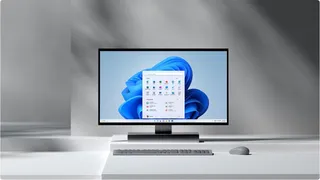
Being tested in the Windows 11 26H2 preview
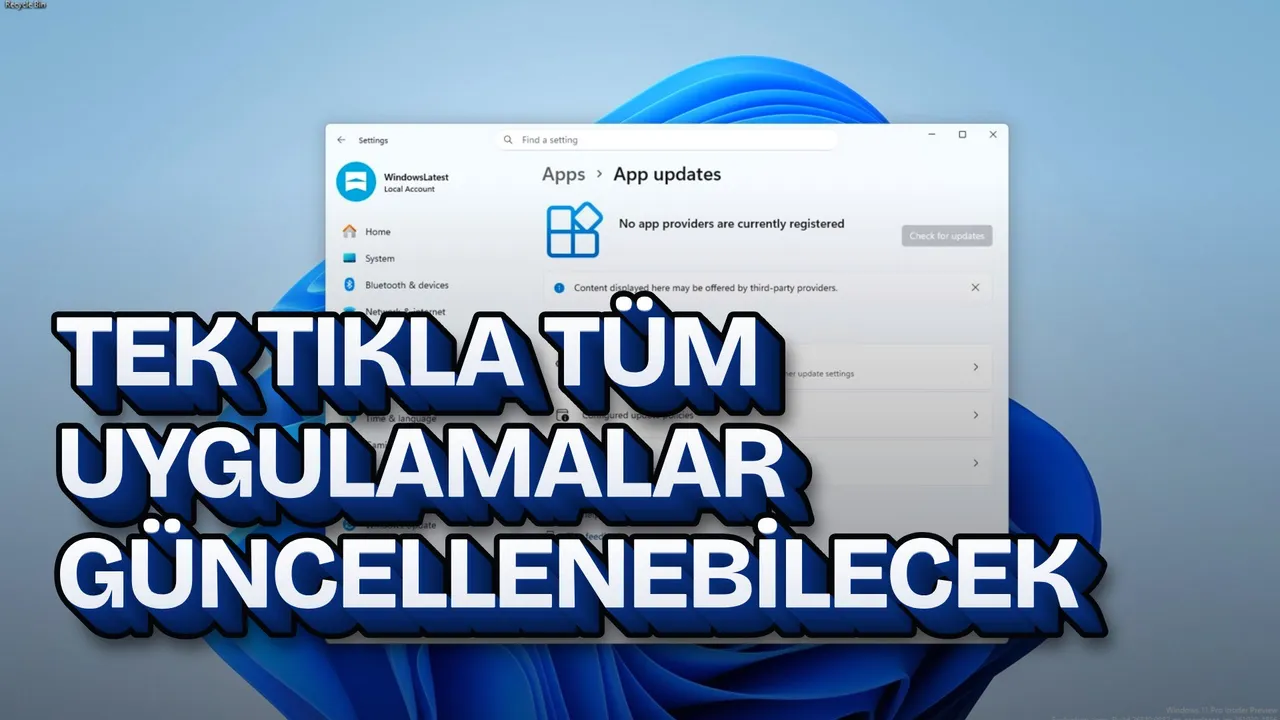
Late last year, Microsoft added the "App updates" option to the Settings > Apps section of Windows 11. This option has been re-enabled in the Windows 11 26H2 preview build. The interface structure aims to allow users to complete all external software updates on the system from a single list with a mouse click.
The new hub is not yet functional. The "Check for updates" button in the test environment remains grayed out and unclickable. At present, no software developers, including Microsoft's own applications Teams and Outlook, are integrated into this infrastructure.
Reklam
Be the first to know
Join our channel and get key developments straight on your phone.
TechTurco Telegram ChannelMute or leave any time

How will the Windows Update Orchestration Platform work?
In the current Windows architecture, system patches, hardware drivers, and .NET Framework packages are distributed directly through Windows Update. While Microsoft Store software uses the store client, traditional desktop programs such as Chrome, VLC, and MPV connect to their own independent servers. Due to this structure, the Windows core cannot track whether a new version is available for these applications.
To eliminate this fragmentation, Microsoft will roll out a system called the Windows Update Orchestration Platform (UOP). The technical operation of the platform is based on the following rules:
| Feature | Current State | New UOP Model |
|---|---|---|
| Software Distribution | Each program downloads from its independent server | Developers retain their own servers and installers |
| Notifications | Each program displays independent pop-up windows | Windows manages notifications and the interface centrally |
| Scheduling Logic | Alerts the user the moment the program opens | Smart scheduling is applied based on battery, network status, and device usage |
In the new framework, developers will not have to abandon their server infrastructure or installation mechanisms. Microsoft will only provide a top layer that coordinates the notification and installation of updates. Software developers will be able to register for this system as update providers.
Reklam
Smart scheduling and user control
Once the system becomes generally available and third-party applications begin enrolling, Windows will schedule when to install these updates based on system resources. The smart scheduling infrastructure currently used for system updates will also apply to third-party programs.
When planning updates for third-party software, Windows will take into account the device's current usage intensity, battery level, internet connection status, and overall system load. Users will be able to intervene in this process at any time and retain control over manually checking for updates.
Reklam
This article was translated from Turkish. Read the original article in Turkish.
More in News