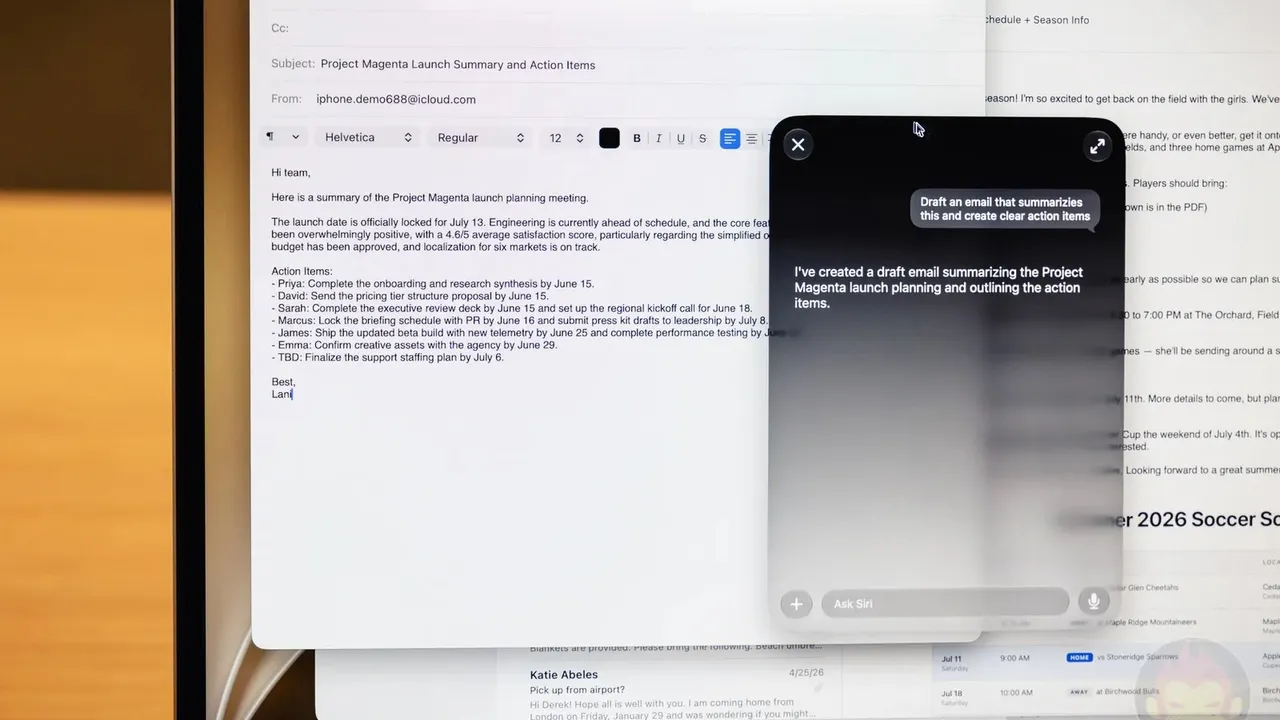
Apple has brought its AI tools to iPhones, Macs and the macOS operating system. Some users who have started writing replies in the Mail app say Siri's writing help box covers the screen.
Dan Moren, who first wrote about the change at Six Colors, says he saw it in macOS 27.2.1.
You can turn off Siri's writing help
Moren says he usually finds Siri's writing help too pushy and does not need it for short replies. However, he says he could not find an option in Mail's settings to turn the feature off.

The fix is outside the Mail app, in the Screen Time section of System Settings. According to the reply Moren received on Mastodon, the steps are: open System Settings, go to Screen Time, move to the Privacy and Personal section and turn off Writing Tools.
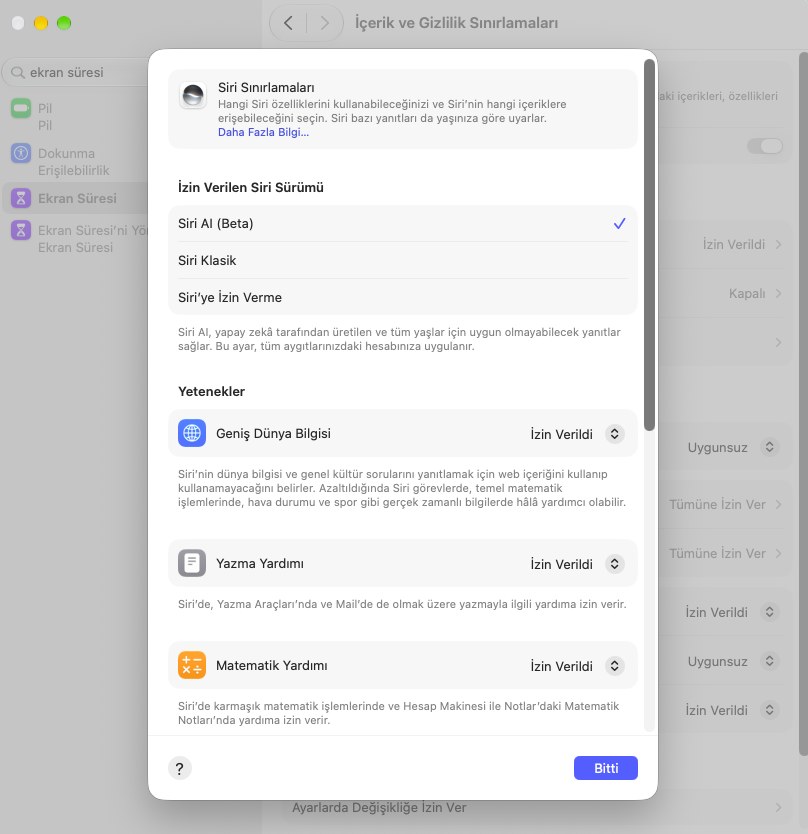
Moren also reports that after this setting was changed, the box disappeared. When he closed and reopened the draft, only the standard formatting bar remained.
Apple's Mac help page explains in detail where this setting is. According to the page, Apple Intelligence features such as Siri's writing help are managed from this system-level section, not from Mail's own settings. That explains why there is no turn-off option inside Mail.